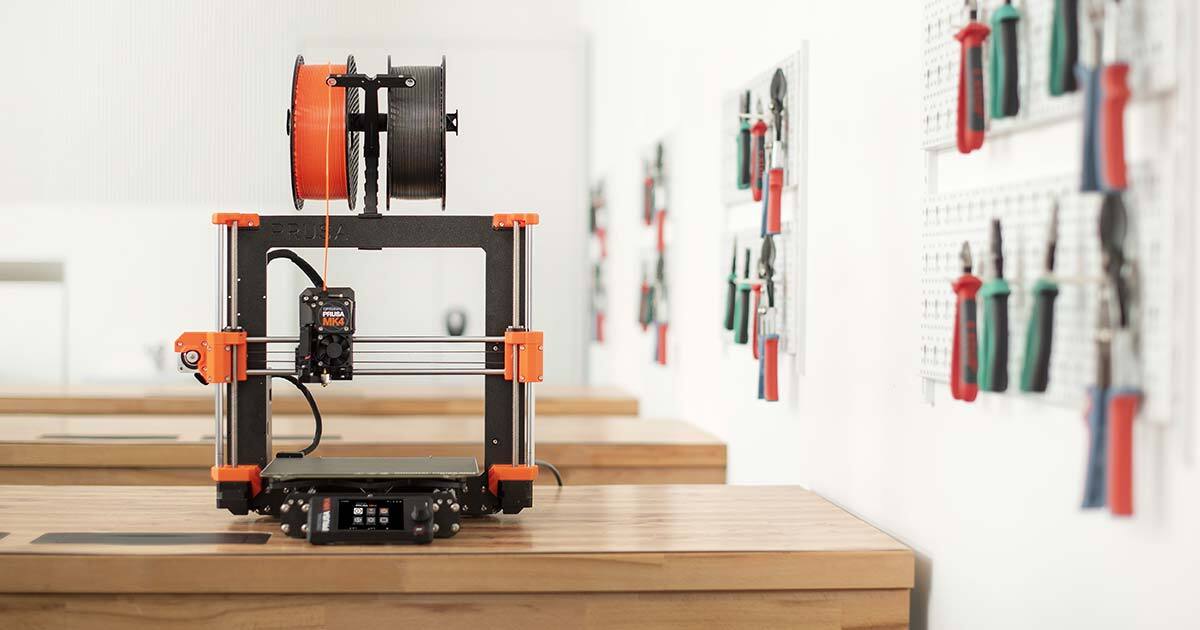
Anyone who has printed a functional part in PLA and watched it warp on the dashboard of a hot car understands the problem. PETG holds up. PLA does not. TPU flexes. PC scratches everything else out of the room. Getting the material right matters as much as getting the geometry right, and the tool that helps is the slicer, not a spec sheet. The eight desktop apps below organize filament data, ship tuned profiles, and let you compare a candidate material against a real print job before you spend eight hours watching filament unspool.
We tested each on a Bambu Lab A1 mini, a Prusa MK4S, and a Sovol SV07 with an assortment of PLA, PLA-CF, PETG, PETG-CF, PC, and TPU spools. Short version: PrusaSlicer’s filament library is still the ground truth, OrcaSlicer is the community winner for tuning, and Spoolman handles the inventory side that every serious print farm eventually needs.
What to look for in a filament-selection tool
- A curated filament library. Community profiles are good; vetted vendor profiles are better.
- Filament comparison view. Side-by-side flow rate, temperature, and shrinkage numbers beat scrolling through 40 profiles one at a time.
- Reads the printer’s actual quirks. A great filament profile on paper still fails without input shaper tuning, retraction, and cooling values that match your machine.
- Handles composites. Carbon fiber, glass fiber, and wood-filled filaments need dedicated abrasion-safe nozzle notes.
- Tracks inventory and moisture. A dry spool prints better than a wet one, and the tool that reminds you which spool is dry saves prints.
- Exports to standard G-code flavors. Your printer’s firmware needs to accept what the tool emits.
Quick comparison
| App | Best for | Platforms | Free plan | License | Filament library size |
|---|---|---|---|---|---|
| PrusaSlicer | Curated vendor profiles | Windows, macOS, Linux | Yes, fully free | Open source | About 200 profiles |
| OrcaSlicer | Community tuning | Windows, macOS, Linux | Yes, fully free | Open source | 300+ profiles |
| Bambu Studio | Bambu ecosystem printers | Windows, macOS, Linux | Yes, fully free | Open source | Bambu vendor library |
| Ultimaker Cura | Beginners and marketplace variety | Windows, macOS, Linux | Yes, fully free | Open source | 150+ profiles |
| SuperSlicer | Expert-level fine-tuning | Windows, macOS, Linux | Yes, fully free | Open source | Prusa-derived library |
| IdeaMaker | Raise3D and multi-material owners | Windows, macOS, Linux | Yes, fully free | Freeware | 90+ profiles |
| Simplify3D | Cross-vendor commercial | Windows, macOS, Linux | Trial | Paid, about $200 one-time | Broad vendor coverage |
| Spoolman | Inventory and moisture tracking | Windows, macOS, Linux, Docker | Yes, fully free | Open source | User library |
The apps
1. PrusaSlicer, best for curated vendor profiles
PrusaSlicer is the tool most other slicers on this list fork from, and Prusa Research keeps the filament library curated by hand: every profile has been tested against the reference Prusa printers before it ships. The 2026 build added smarter first-layer speed handling for high-flow PETG and improved PLA-CF profiles with the abrasion-safe nozzle warning users kept asking for.
For someone learning what different materials actually need, PrusaSlicer’s filament settings dialog is a class in itself. Flow multiplier, print temperature, bed temperature, cooling percentages, and retraction all sit on one page with sensible defaults and no marketing copy in the way.
Where it falls short: Non-Prusa printer profiles are community-maintained and quality varies. Bambu-specific tricks like AMS orchestration are absent.
Pricing:
- Free: Fully free, open source (AGPL)
Platforms: Windows, macOS, Linux
Download: PrusaSlicer
Bottom line: The first slicer to install if you want vetted filament data you can trust.
2. OrcaSlicer, best for community tuning
OrcaSlicer is the community fork that has become the default for tuners. Calibration tests (temperature tower, flow ratio, pressure advance, retraction) are built into a single dialog, and the results feed straight into a saved filament profile. That workflow is unmatched anywhere else in this category, and it means a fresh spool of a new brand becomes a tuned profile in about 90 minutes.
The library covers Bambu, Prusa, Voron, and dozens of third-party printers out of the box, and community profiles for exotic materials (PET-CF, PPS-CF, ASA) land quickly.
Where it falls short: Documentation quality varies. UI changes across releases can surprise long-term users. Some vendor tests still assume a Bambu-family printer.
Pricing:
- Free: Fully free, open source
Platforms: Windows, macOS, Linux
Download: OrcaSlicer on GitHub
Bottom line: The pick for anyone who wants to actually tune each spool rather than accept a stock profile.
3. Bambu Studio, best for Bambu ecosystem printers
Bambu Studio is Bambu Lab’s official slicer, forked from PrusaSlicer, and it is the only slicer that fully drives the AMS on Bambu printers with per-slot filament profiles and mid-print swaps. The Bambu Lab profile library is the tightest of any first-party option; every profile ships against a specific Bambu spool and prints cleanly on day one.
Non-Bambu printers can also be used, but the ecosystem story is what matters. If a print farm is standardizing on Bambu hardware, Bambu Studio is a no-brainer.
Where it falls short: Third-party filament profiles are barely present in the shipped library; users add them manually. The account and cloud sync path can be more than a hobbyist wants.
Pricing:
- Free: Fully free, open source
Platforms: Windows, macOS, Linux
Download: Bambu Studio
Bottom line: The pick when the print farm is Bambu-first.
4. Ultimaker Cura, best for beginners and marketplace variety
Ultimaker Cura is still the beginner’s slicer because the profile wizard walks a user through picking a machine and a filament without demanding a decision that they cannot yet make. The Marketplace adds vendor-supplied filament plugins from Polymaker, Ultimaker, Formfutura, ColorFabb, and more, which pulls a lot of the third-party profiles that other slicers require you to hunt for.
For the reader who just bought their first printer and wants a working PETG print by dinner, Cura is the least intimidating path.
Where it falls short: Community profiles for hobbyist printers can lag PrusaSlicer’s on print quality. Slicing engine speed trails OrcaSlicer on large models.
Pricing:
- Free: Fully free, open source
Platforms: Windows, macOS, Linux
Download: Ultimaker Cura
Bottom line: The right pick for a first printer and a first spool of PETG.
5. SuperSlicer, best for expert-level fine-tuning
SuperSlicer is a PrusaSlicer fork focused on advanced settings and calibration prints. Where PrusaSlicer aims for one clean default, SuperSlicer exposes every knob and pairs it with a built-in calibration wizard: flow, temperature, retraction, and pressure advance each get their own tuning workflow with clear read-the-print rules.
For someone who wants to squeeze another 20 percent out of a spool of PETG-CF on a well-tuned Voron, SuperSlicer is the tool that offers the room to do it.
Where it falls short: Overkill for anyone printing hobby PLA. Interface density scares off beginners. OrcaSlicer has absorbed a lot of SuperSlicer’s tuning approach, so many users just switch.
Pricing:
- Free: Fully free, open source
Platforms: Windows, macOS, Linux
Download: SuperSlicer on GitHub
Bottom line: The pick for the tuner who wants every setting the slicer can offer.
6. IdeaMaker, best for Raise3D and multi-material owners
IdeaMaker is Raise3D’s official slicer, and it handles multi-material printing with per-color filament profiles that stay stable across long prints. The 2026 build added better dissolvable-support handling for PVA and BVOH, which matters when the second extruder is running a support material rather than a color.
Raise3D owners get vendor-tuned profiles for every Raise3D printer and filament, and third-party filament support is broad enough to cover most common brands.
Where it falls short: UI shows its age. Non-Raise3D printer support requires manual profile setup. Community is smaller than PrusaSlicer or OrcaSlicer, so troubleshooting takes longer.
Pricing:
- Free: Fully free
Platforms: Windows, macOS, Linux
Download: IdeaMaker by Raise3D
Bottom line: The right pick for Raise3D owners and multi-material printers running dissolvable supports.
7. Simplify3D, best for cross-vendor commercial print shops
Simplify3D V5 remains the paid slicer for commercial print shops that value vendor support and cross-machine profile management over an open-source community. The filament library covers a wide range of industrial-grade materials (PEEK, PEKK, Ultem-compatible) alongside consumer PLA and PETG, and the support-generation engine is still ahead of the free slicers on tricky organic geometry.
The one-time price beats a subscription for a shop that runs multiple printer families and wants consistent behavior across them.
Where it falls short: Update cadence has slowed. Not the tool for hobbyists or first-time buyers. Community profile ecosystem is nowhere near PrusaSlicer’s.
Pricing:
- Trial: Free timed trial
- Purchase: About $200 one-time, includes updates within a major version
Platforms: Windows, macOS, Linux
Download: Simplify3D
Bottom line: The pick for commercial shops with mixed printer fleets.
8. Spoolman, best for inventory and moisture tracking
Spoolman is not a slicer; it is a self-hosted filament inventory service that keeps track of every spool: brand, material, weight remaining, purchase date, dry-box time, and print history. It ships as a Docker image and integrates with Klipper, Moonraker, and OctoPrint so that a print job automatically debits the spool it used.
For anyone with more than a dozen spools, Spoolman is the difference between guessing whether the roll on the left is PETG or PETG-CF and knowing it. Pair it with a dry box that logs humidity and the moisture story finally gets an answer.
Where it falls short: Setup requires Docker or a Python install. No mobile app; the web UI is mobile-friendly instead.
Pricing:
- Free: Fully free, open source (MIT)
Platforms: Windows, macOS, Linux, Docker
Download: Spoolman on GitHub
Bottom line: The pick when the filament shelf has grown beyond what memory can track.
How to pick the right one
If you just want vetted filament profiles that print cleanly: PrusaSlicer.
If you tune every new spool and want built-in calibration tests: OrcaSlicer.
If your printer is a Bambu: Bambu Studio.
If your printer is your first printer: Ultimaker Cura.
If you want every advanced knob available: SuperSlicer.
If your printer is a Raise3D or you print with dissolvable supports: IdeaMaker.
If you run a commercial shop with mixed printer families: Simplify3D.
If your filament shelf has grown past what memory can track: Spoolman.
FAQ
What is the best free slicer for choosing 3D printing filaments in 2026?
PrusaSlicer for curated vendor profiles, OrcaSlicer for hands-on tuning. Most experienced users install both and use OrcaSlicer for calibration, then keep whichever gives cleaner prints on the reference model.
Is PETG really the best all-around filament?
For functional parts that sit in a hot car, on a workbench, or outside, yes. PETG holds shape at temperatures where PLA warps, it is easier to print than ABS, and it takes stress well. For pure aesthetics and easy printing indoors, PLA is still hard to beat.
Do any of these apps help me pick a filament brand?
OrcaSlicer’s calibration workflow lets you test a candidate spool against your printer in under two hours, which is faster than reading reviews. PrusaSlicer’s curated vendor list tells you which brands Prusa themselves stand behind.
Which slicer is best for multi-material AMS printing?
Bambu Studio if the printer is a Bambu with an AMS. OrcaSlicer if the printer runs OpenAMS or another community MMU. IdeaMaker for Raise3D printers with dual extruders.
Can I use one filament profile across multiple slicers?
Not directly. PrusaSlicer, OrcaSlicer, Bambu Studio, and SuperSlicer share a common profile schema and often accept each other’s profiles with minor edits, but Cura and Simplify3D use different formats. Spoolman handles the vendor and spool data itself, so that layer is portable.